TodoBox
A Flask-based personal task management application with wisdom quotes, user authentication, and multi-database support
A Flask-based personal task management application with wisdom quotes, user authentication, and multi-database support
New Features (January 2026):
Critical Fixes & Testing (2025):
Performance & Security:
Built with modern Python web development technologies and production-ready components (Latest - January 2026):
Get TodoBox up and running in just a few steps:
git clone https://github.com/faizal2007/todobox.git
cd todobox
pip install -r requirements.txt
cp .flaskenv.example .flaskenv
# Edit .flaskenv with your configuration
python3 -c "from app.config import generate_salt; print(generate_salt())"
flask db upgrade
python3 create_user.py
# Follow the interactive prompts
flask run
The application will be available at http://localhost:5000
TodoBox provides RESTful API endpoints with token-based authentication for external integrations:
GET  /api/todo           # List all todos (bearer token required)
POST /api/todo           # Create new todo (bearer token required)
GET  /getTodo/<id>      # Get specific todo
PUT  /api/todo/<id>     # Update todo (bearer token required)
DELETE /api/todo/<id>  # Delete todo (bearer token required)
POST /api/auth/token     # Generate API tokens
POST /done               # Mark todo as complete
Token-based Authentication: Generate API tokens from your account settings for secure external integrations. All API endpoints support Bearer token authentication.
                        # List all todos (requires token)

                        curl -H "Authorization: Bearer YOUR_TOKEN" \

                          https://todobox.example.com/api/todo


                        # Create a new todo

                        curl -X POST -H "Authorization: Bearer YOUR_TOKEN" \

                          -H "Content-Type: application/json" \

                          -d '{"name":"Buy groceries","details":"Milk, eggs, bread"}' \

                          https://todobox.example.com/api/todo


                        # Update a todo

                        curl -X PUT -H "Authorization: Bearer YOUR_TOKEN" \

                          -H "Content-Type: application/json" \

                          -d '{"name":"Updated task"}' \

                          https://todobox.example.com/api/todo/123


                        # Delete a todo

                        curl -X DELETE -H "Authorization: Bearer YOUR_TOKEN" \

                          https://todobox.example.com/api/todo/123


                        # Generate new API token

                        curl -X POST -H "Authorization: Bearer YOUR_TOKEN" \

                          https://todobox.example.com/api/auth/token
Web Authentication: Session-based authentication with OAuth support for email/password login and Google OAuth sign-in.
See TodoBox in action with our modern, intuitive interface:
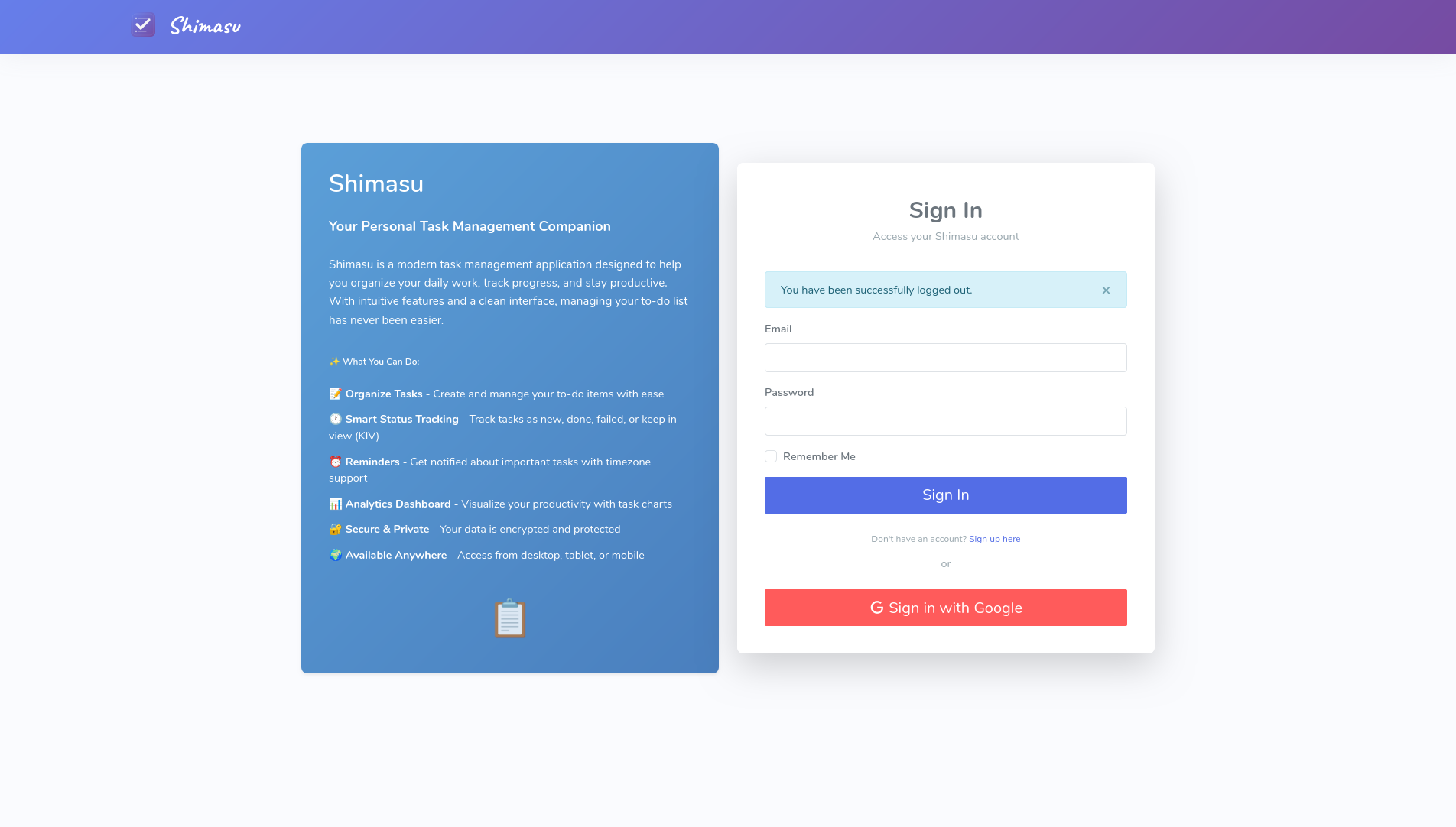
Secure authentication with email/password and Google OAuth support
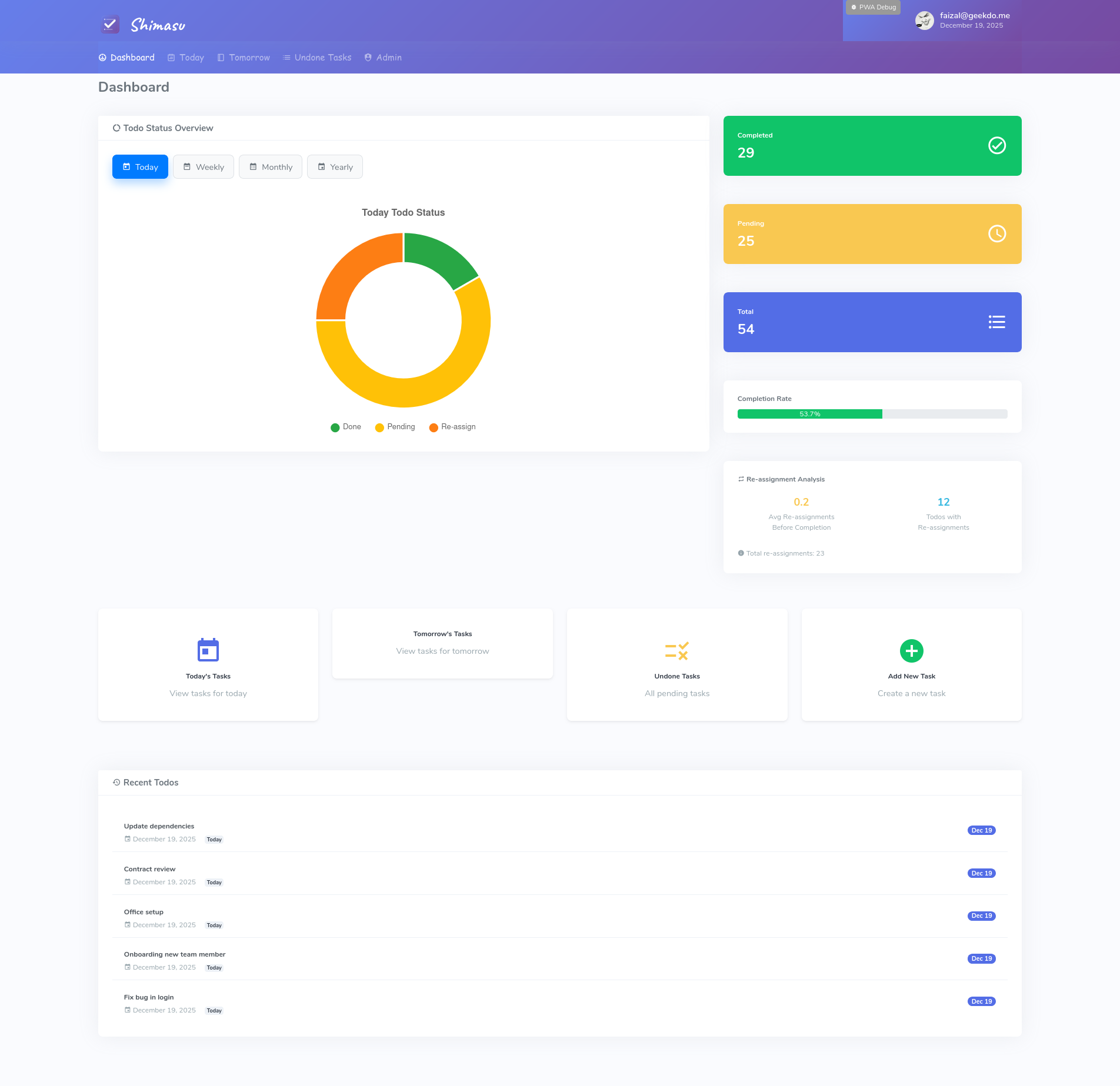
Clean, organized view with donut charts showing task status by time period
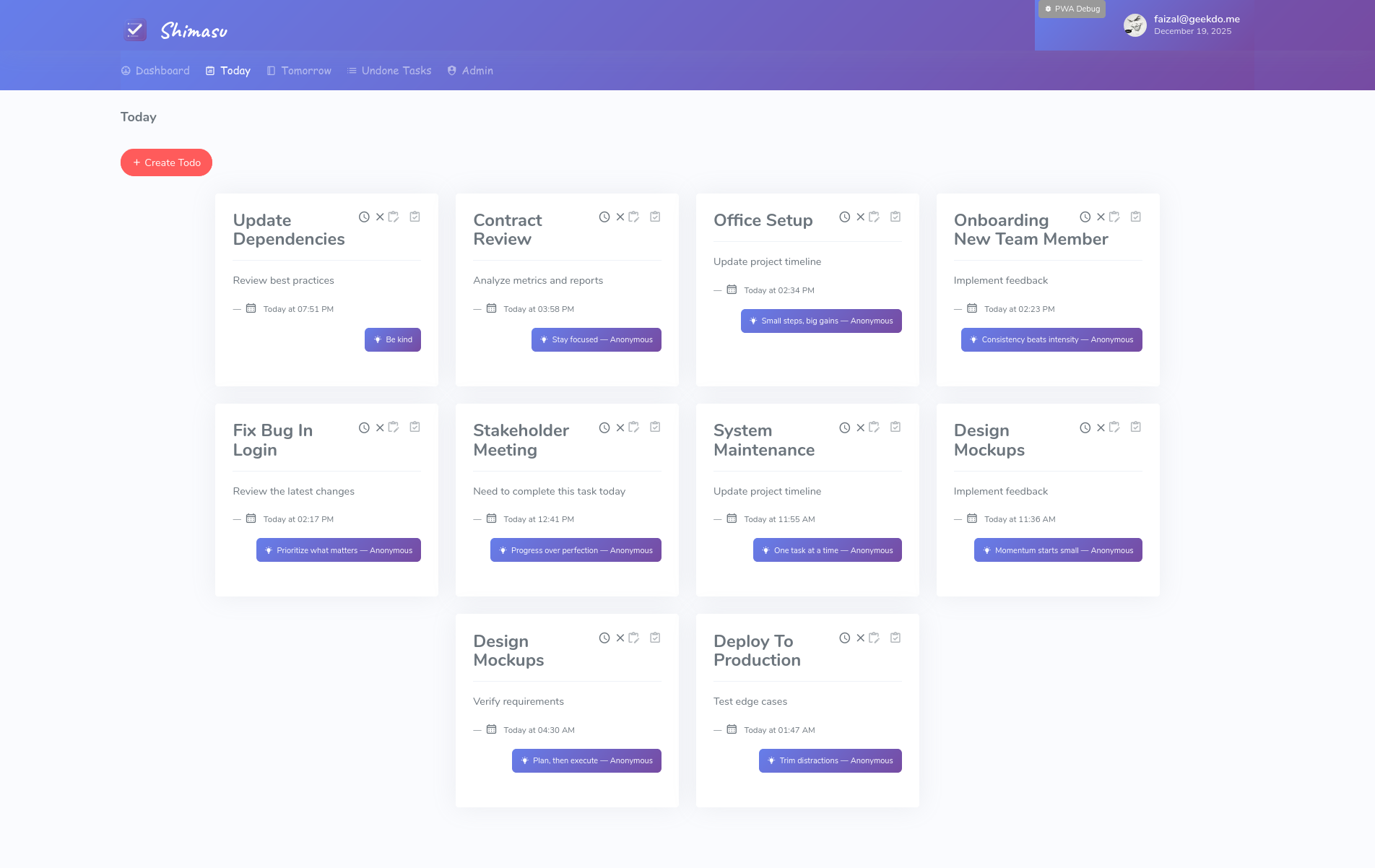
Focus on what matters today with filtered task views and quick actions
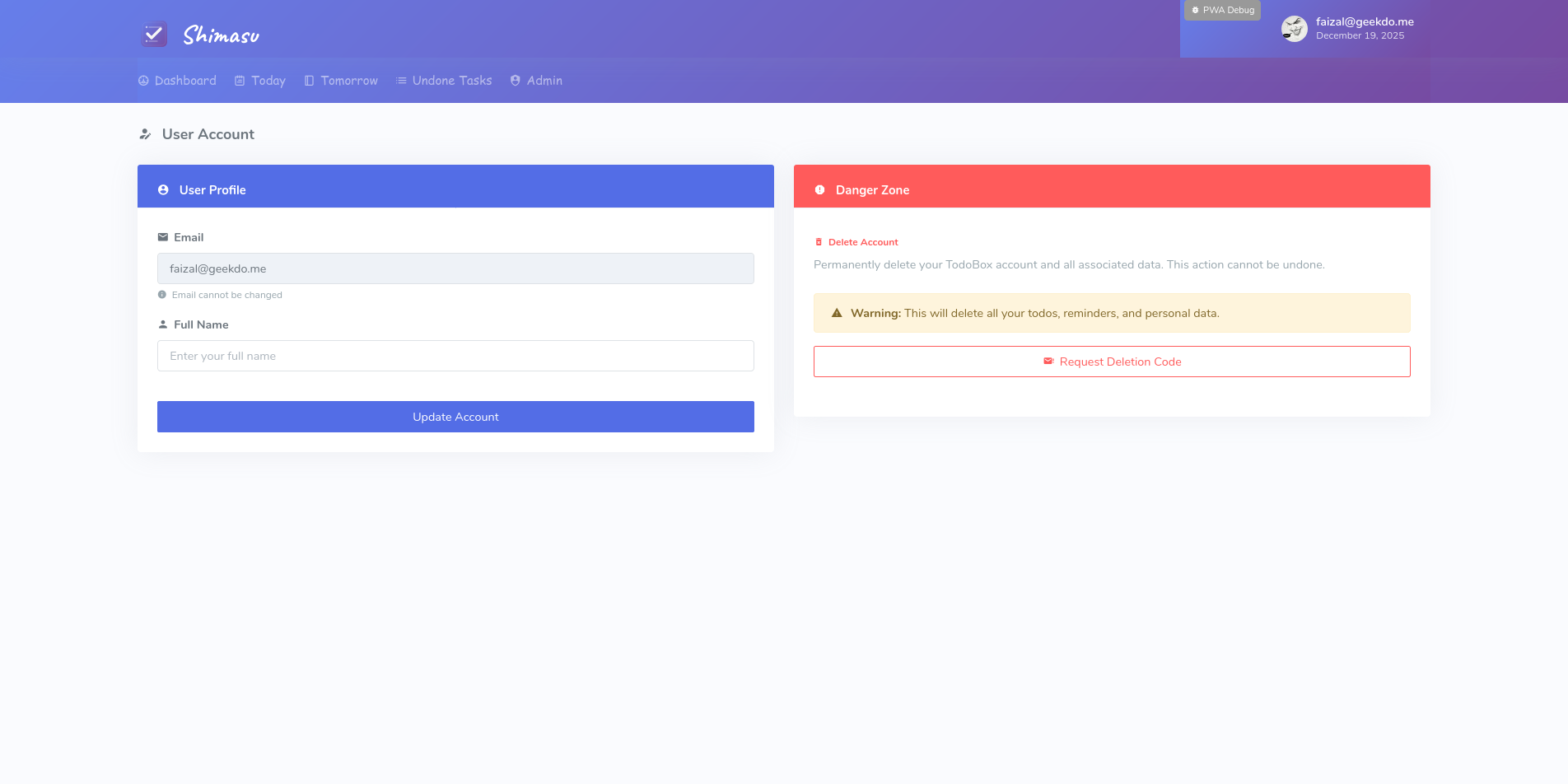
Manage your profile information and account settings
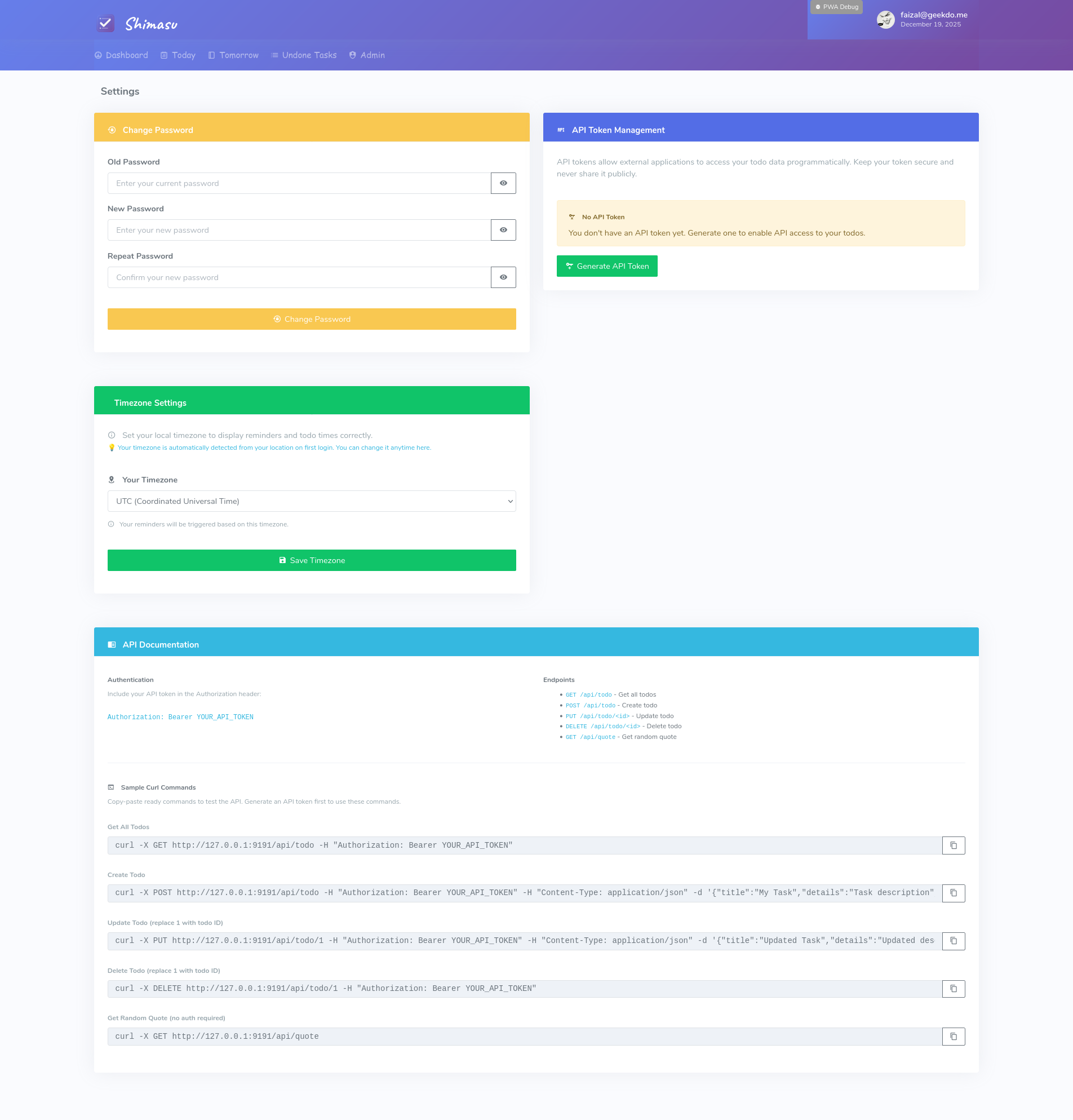
Configure password, API tokens, and application preferences
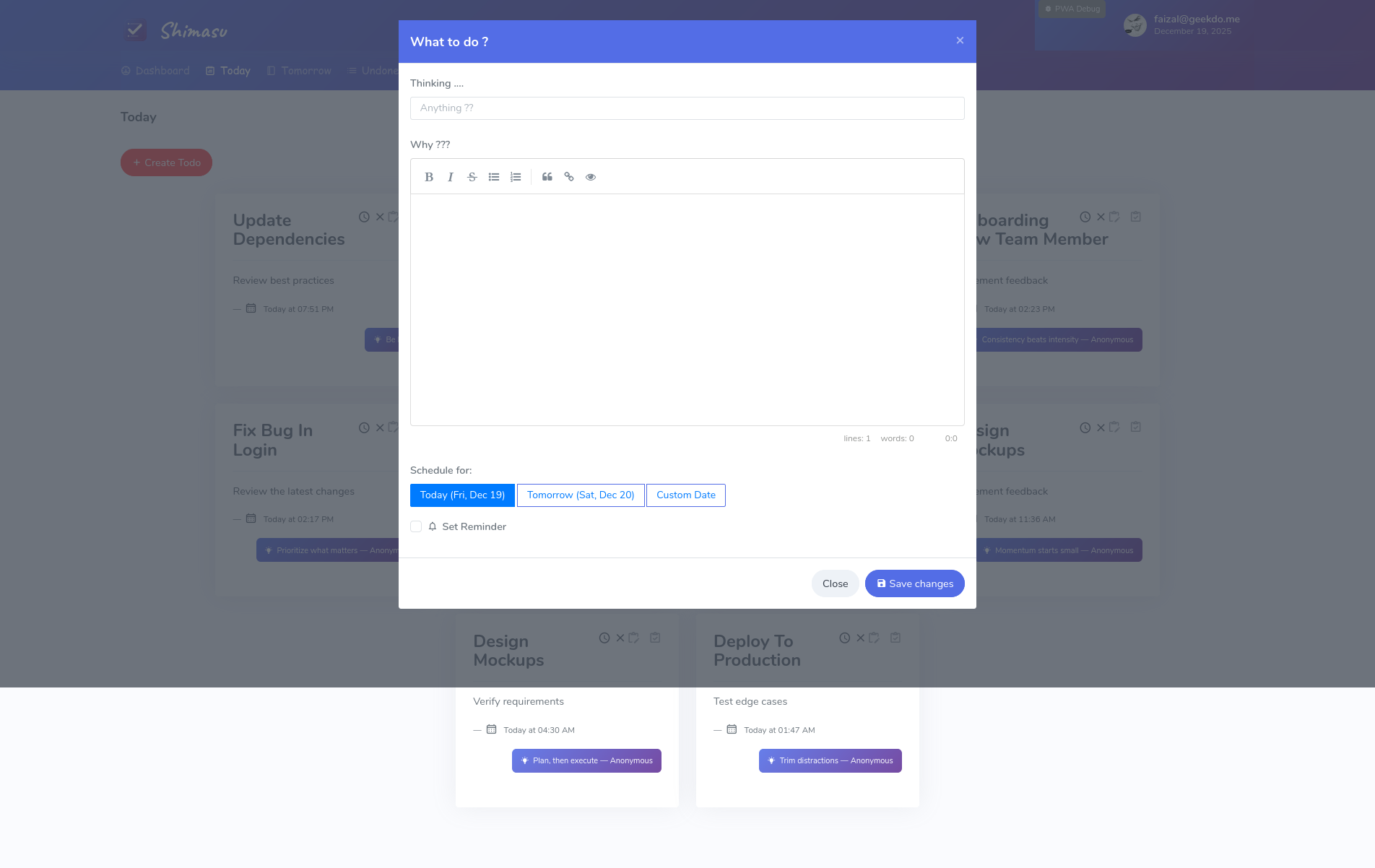
Easy task creation and editing with markdown support and scheduling options
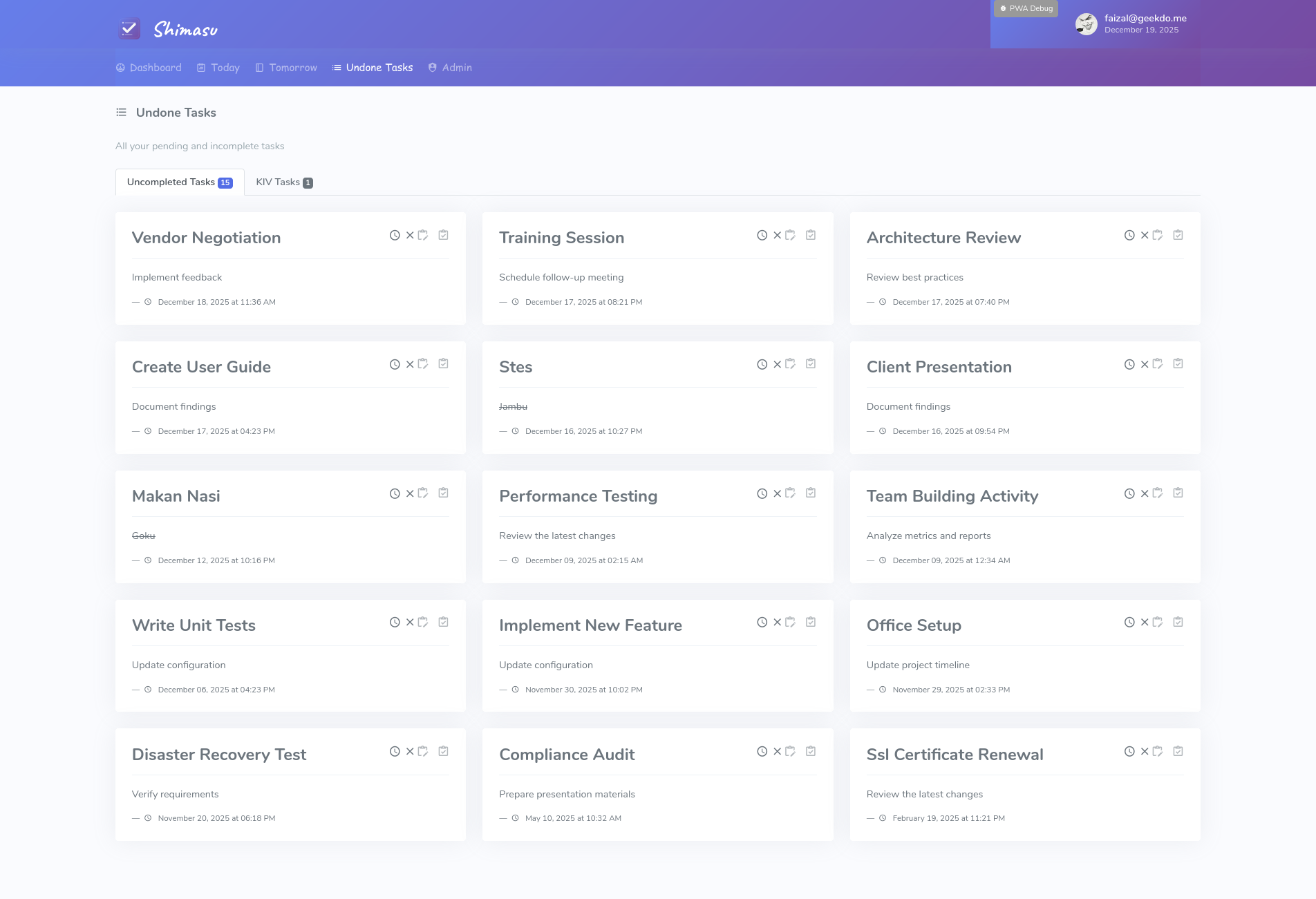
Track and manage all pending tasks with KIV (Keep In View) status support
Create, organize, and track tasks with responsive 3-4 column grid layout and markdown support
Quick checklist creation with on-the-fly conversion between simple and advanced markdown modes
View completed todos with detailed modal showing completion time and task details
Daily inspiration from ZenQuotes API with local fallback for offline access
Track tasks with donut charts grouped by time periods (today, weekly, monthly, yearly)
Install as a Progressive Web App on mobile and desktop for native-like experience
Email/password login and Google OAuth sign-in with email verification for new registrations
Self-service account creation with email verification and terms acceptance
Keep tasks in view with dedicated KIV (Keep In View) status for tasks on hold
Set reminders with automatic timezone detection and auto-close after 3 notifications
Bootstrap 4 responsive design with smooth loading indicators and intuitive navigation
Password hashing, CSRF protection, XSS prevention, secure API token authentication, and pre-commit hooks
Support for SQLite, MySQL, and PostgreSQL with database migration tools
RESTful API with token-based authentication for external integrations and automation
Admin-managed terms and disclaimer with version control and user acceptance tracking
Ready for deployment behind Nginx with OAuth callback URL support
Gunicorn support, Werkzeug 3.0 compatibility, and comprehensive deployment guides
44+ test suite (backend, frontend, assets) ensuring reliability and preventing regressions
Deploy TodoBox to various platforms with Gunicorn and multi-database support. Latest updates include simple todo mode with on-the-fly conversion, achievement modal, wisdom quotes, PWA support, comprehensive multi-layer testing, and performance optimization.
                        # Install dependencies

                        pip install -r requirements.txt


                        # Configure environment

                        cp .flaskenv.example .flaskenv

                        nano .flaskenv  # Edit with your settings


                        # Initialize database

                        flask db upgrade

                        python3 create_user.py


                        # Start with Gunicorn

                        gunicorn -w 4 -b 0.0.0.0:5000 todobox:app
Automatic reverse proxy support via Werkzeug ProxyFix middleware for deployment behind Nginx, SSH tunnels, or cloud load balancers. Configure PROXY_X_* settings in .flaskenv.
23 documentation files covering all aspects of TodoBox:
All guides include 100+ code examples, quick reference tables, troubleshooting sections, and accessibility compliance.
For detailed deployment instructions including Nginx configuration, SSL/TLS setup, database configuration, and cloud deployment options, see the DEPLOYMENT.md guide.
We welcome contributions to TodoBox! Here's how you can help:
Found a bug? Open an issue on GitHub with detailed information.
Have an idea? Share it in the discussions or issues section.
Fork the repo, make changes, and submit a pull request.
                        git clone https://github.com/faizal2007/todobox.git

                        cd todobox

                        pip install -r requirements-dev.txt

                        cp .flaskenv.example .flaskenv

                        flask db upgrade

                        flask run